








February 26, 2026
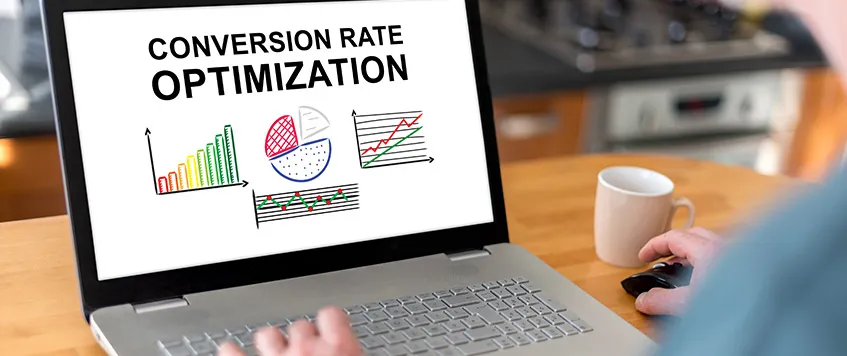
How to Increase Website Conversion Rate
Getting traffic to a website is hard. Turning that traffic into customers is harder. Many businesses obsess over SEO, ads, and social media growth, but ignore the one thing that actually drives revenue: conversion rate. If your website gets 10,000 visitors a month and converts at 1 percent, you get 100 customers. Increase that to 3 percent and you get 300 customers without spending an extra dollar on traffic. That is the power of conversion rate optimization. This guide explains how to increase website conversion rate using practical strategies, real-world examples, tested frameworks, and hands-on experience from working with business websites and marketing funnels. What Is Website Conversion Rate Website conversion rate is the percentage of visitors who complete a desired action. That action could be: Buying a product Filling out a contact form Booking a consultation Signing up for a newsletter Downloading a guide The formula is simple: Conversion Rate = Conversions ÷ Total Visitors × 100 If 200 people buy from 5,000 visitors, your conversion rate is 4 percent. But improving conversion rate is not about formulas. It is about psychology, clarity, trust, and removing friction.Why Most Websites Fail to Convert Most websites fail for predictable reasons: They talk about themselves instead of the customer The offer is unclear There is no strong call to action The design confuses users The page loads slowly There is no trust proof In my experience working on business websites and marketing funnels, I have seen beautifully designed sites that convert at 0.5 percent. At the same time, simple, clean pages with strong messaging convert at 4 to 8 percent. Design does not convert. Clarity converts. Understand User Intent Before Anything Else Before changing buttons or headlines, understand why people are coming to your website. There are three primary intent types: Informational intent Commercial investigation intent Transactional intent If someone searches for “best CRM for small business,” they are comparing. If someone searches “buy CRM software now,” they are ready to act. Your content, layout, and call to action must match intent. If you show a long blog article to someone ready to buy, you lose the sale. If you show a sales page to someone just researching, you create resistance. To increase website conversion rate, alignment with user intent is mandatory. Step 1: Clarify Your Value Proposition Your value proposition must answer three questions immediately: What do you offer Who is it for Why should someone choose you When visitors land on your homepage, they decide within seconds whether to stay or leave. If they have to “figure it out,” they leave. A strong value proposition structure looks like this: Headline Clear benefit-driven statement Subheading Explain how it works or who it is for Primary CTA Clear action like “Get Started” or “Book a Free Call” Example Weak headline: We Provide Digital Marketing Solutions Strong headline: Generate Qualified Leads for Your Business in 30 Days Without Wasting Budget on Guesswork The second version is specific, outcome-driven, and focused on the customer. Step 2: Optimize Website Design for Conversion Your website design directly affects conversion rate. But conversion-focused design is not about flashy visuals. It is about usability. Key Elements of High-Converting Design Clear visual hierarchy Strong contrast on CTA buttons Minimal distractions Mobile responsiveness Fast loading speed Here is a simple diagram of a conversion-focused page structure: ------------------------------------- Headline (Big Promise) Subheading (Clarify Offer) Primary CTA Button ------------------------------------- Benefits Section ------------------------------------- Social Proof ------------------------------------- Detailed Explanation ------------------------------------- FAQ ------------------------------------- Final CTA Every section should guide users closer to action. In my experience redesigning service websites, simply removing unnecessary navigation links increased conversions by over 30 percent. Too many options create decision fatigue. Step 3: Improve Website Speed and Technical Performance If your site takes more than 3 seconds to load, you are losing potential customers. Slow websites reduce trust and increase bounce rate. To improve performance: Compress images Use lightweight themes Minimize unnecessary plugins Enable caching Use a reliable hosting provider Speed is not just technical. It affects perception. Fast websites feel professional. Slow websites feel risky. Step 4: Write Persuasive Copy That Converts Copywriting is one of the most powerful tools to increase website conversion rate. Focus on: Benefits over features Clear outcomes Emotional triggers Risk reversal Instead of saying: “Our software includes advanced automation tools.” Say: “Automate repetitive tasks and save up to 10 hours per week.” People buy outcomes, not tools. The Simple Conversion Formula Problem Agitate Solution Proof Call to Action This structure works for landing pages, product pages, and service pages. Step 5: Use Social Proof Strategically Trust is the biggest barrier to conversion. Social proof removes doubt. Types of social proof: Testimonials Case studies Reviews Client logos Before and after results When adding testimonials, make them specific. Weak testimonial: Great service, highly recommended. Strong testimonial: We increased our monthly leads from 40 to 120 within 60 days after implementing their strategy. Specific results create credibility. In my own projects, adding three detailed testimonials above the fold increased inquiry submissions significantly. People need reassurance before committing. Step 6: Create High-Converting Call to Action Your call to action must be: Clear Action-oriented Visible Specific Avoid vague phrases like “Submit” or “Click Here.” Instead use: Get My Free Strategy Call Start My Free Trial Download the Guide Now Place CTAs strategically: Above the fold After explaining benefits After testimonials At the end of the page Do not overwhelm users with too many competing actions. Step 7: Reduce Friction in Forms and Checkout The more effort required, the lower the conversion rate. If your contact form asks for: Full name Phone number Company name Address Industry Budget Message You are creating resistance. Only ask for what is necessary. Here is a comparison table: Form Type Fields Conversion Impact Long Form 7 to 10 Low Medium Form 4 to 6 Moderate Short Form 2 to 3 High For eCommerce, simplify checkout: Offer guest checkout Show progress indicators Display security badges Provide multiple payment options Every extra step reduces completion rate. Step 8: Use A/B Testing to Improve Results Never assume what works. Test it. Elements to test: Headlines CTA button color Button text Pricing structure Images Page layout Even small changes can produce large improvements. In one case, changing a headline from generic wording to a results-focused promise increased sign-ups by nearly double. That happened because the new headline aligned better with user intent. Testing is not optional. It is necessary if you want consistent growth. Step 9: Align Content With the Buyer Journey To increase website conversion rate, you must support users at different awareness stages. Awareness stage Educational blog content Consideration stage Comparison pages, case studies Decision stage Landing pages, offers, free trials If your website only has sales pages, you miss early-stage prospects. If it only has blog content, you miss revenue opportunities. Balance is critical. Step 10: Strengthen Trust Signals Trust signals directly influence buying decisions. Add: SSL certificate Secure payment icons Privacy policy Refund guarantees Clear contact information If visitors cannot easily find your phone number or email, they hesitate. Trust removes risk in the buyer’s mind. Step 11: Improve Mobile Conversion Rate More than half of traffic often comes from mobile devices. Yet many websites are desktop-focused. Check: Button size Text readability Image scaling Form usability Page speed on mobile If users must zoom or struggle to click buttons, conversions drop. Test your site manually on different devices. Step 12: Use Data and Analytics to Identify Leaks You cannot improve what you do not measure. Track: Bounce rate Scroll depth Click-through rate Form abandonment rate Exit pages If users leave at a specific section, analyze why. Common issues: Weak headline Confusing copy Overwhelming layout Lack of clarity Optimization is about identifying friction and removing it systematically. Real Example From Experience I once worked on a service-based business website that received decent traffic but generated very few leads. Problems identified: Generic headline No clear offer No testimonials Long contact form Weak CTA Changes made: Rewrote headline with a specific outcome Added client results section Shortened contact form from 8 fields to 3 Added a bold CTA button above the fold Improved mobile layout Result: Conversion rate increased significantly within weeks. No increase in traffic. Only optimization. That experience reinforced one lesson: most websites do not need more visitors. They need better structure. Common Mistakes That Kill Conversion Rate Focusing on traffic instead of optimization Using stock images that reduce credibility Writing vague copy Ignoring mobile performance Not testing variations Overcomplicating navigation Brutal truth: If your website is not converting, the problem is rarely the audience. It is usually the messaging or user experience. FAQ What is a good website conversion rate A good conversion rate depends on your industry and traffic source. For many businesses, 2 to 5 percent is considered solid. High-intent traffic can convert higher. Instead of comparing yourself blindly, focus on improving your current baseline consistently. How long does it take to increase website conversion rate Improvements can happen quickly if the issue is obvious, such as poor messaging or slow speed. However, consistent optimization through testing and refinement is an ongoing process. Should I focus on SEO or conversion rate optimization first If you already have traffic, prioritize conversion rate optimization. Increasing traffic to a poorly converting website wastes resources. Fix the foundation first. Do design changes really affect conversions Yes. Design influences clarity, trust, and usability. However, design alone is not enough. Messaging and offer strength are equally important. How many tests should I run at once Test one major element at a time for clear results. Running too many changes simultaneously makes it difficult to identify what caused improvement. Final Thoughts Learning how to increase website conversion rate is not about tricks or hacks. It is about understanding human behavior, removing friction, strengthening trust, and presenting a clear, compelling offer. Focus on: Clarity over creativity Simplicity over complexity Testing over guessing Benefits over features If your website traffic is steady but revenue is stagnant, the opportunity is already in front of you. Optimize what you have before chasing more visitors. Conversion rate optimization is not a one-time task. It is a continuous process of refinement, testing, and improvement. The businesses that win are not the ones with the most traffic. They are the ones that convert the best.
Read More
February 20, 2026
Magento Performance Optimization: Top Tips And Extensions To Boost Site Speed
Magento is one of the most powerful ecommerce platforms available for scaling serious online businesses. It supports advanced product structures, multi store management, complex pricing rules, and enterprise level customization. However, without structured Magento performance optimization, even the most beautifully designed store can become slow, unstable, and frustrating for customers. I have worked directly on Magento projects where business owners believed marketing was the problem. Traffic was coming in, but conversions were low. After conducting a technical audit, we discovered server misconfiguration, bloated extensions, unoptimized images, and heavy database logs were slowing the store to a crawl. Once performance improvements were implemented, load time dropped from over five seconds to under two seconds. Revenue improved within weeks. Magento performance optimization is not optional. It is a revenue strategy. What Is Magento Performance Optimization Magento performance optimization refers to improving site speed, server response time, database efficiency, frontend rendering, and overall user experience. It focuses on technical improvements that reduce load time and increase stability. Below is a simplified diagram of how a Magento store processes a request: User Browser Request ↓ Web Server ↓ Magento Application ↓ Database Query ↓ HTML Rendering ↓ Static Files Delivery ↓ User Sees Page If any layer in this process is inefficient, the entire store slows down. Optimization strengthens each layer to create consistent performance. Top Tips To Optimize Your Magento Store’s Loading Speeds 1. Choose A Fast Hosting Provider Magento requires strong infrastructure. Shared hosting environments often fail under moderate traffic. A high performance VPS or cloud server with SSD storage and scalable resources is more suitable. Proper hosting should include sufficient RAM, optimized CPU allocation, and server side caching support. When traffic increases during promotions, infrastructure must handle the load without slowing checkout. From practical experience, upgrading from basic hosting to optimized cloud infrastructure alone can significantly reduce server response time. 2. Ensure Correct Server Configuration Even powerful servers perform poorly without correct configuration. Key technical configurations include: • Latest stable PHP version • OPcache enabled • Redis for session storage • Varnish for full page cache • Proper ElasticSearch setup • HTTP 2 enabled Incorrect PHP limits or disabled caching systems can create hidden bottlenecks. Server tuning must align with Magento best practices. 3. Enable Caching Caching reduces server workload by storing pre generated content. Magento includes built in caching mechanisms, but they must be configured correctly. Full Page Cache allows catalog and product pages to load almost instantly for repeat visitors. Redis improves backend speed. Varnish enhances frontend delivery. Without caching, every page visit triggers database queries and rendering logic. With caching enabled, much of that heavy lifting is avoided. 4. Optimize Your Content Large images and excessive scripts are common performance killers. Content optimization includes: • Compressing product images • Resizing images before upload • Converting to modern formats such as WebP • Minifying CSS and JavaScript • Removing unused libraries • Limiting third party scripts Images often account for the largest portion of page weight. Reducing image size without compromising quality significantly improves page load time. 5. Optimize Your Database Magento stores massive amounts of data including logs, sessions, orders, and customer activity. Database optimization involves: • Cleaning outdated log tables • Optimizing indexes • Regular reindexing • Monitoring slow queries • Removing unused modules Over time, unmaintained databases slow down query execution. Regular maintenance prevents long term performance degradation. 6. Consider Themes And Extensions Heavy themes filled with animations and excessive design layers increase rendering time. Lightweight themes built for performance perform better. Extensions are another major factor. Each installed module adds execution time and database interaction. Many store owners accumulate plugins without auditing necessity. Remove redundant modules and test performance after each installation. 7. Examine Code And Rendering Custom code must be reviewed for efficiency. Poorly written loops, excessive data fetching, and render blocking scripts delay output. Frontend improvements include: • Lazy loading images • Deferring non critical JavaScript • Reducing DOM size • Eliminating render blocking CSS Small frontend improvements can produce significant speed gains. 8. Implement Advanced Techniques For competitive ecommerce businesses, advanced optimization is required. Advanced methods include: • Content Delivery Network integration • Server side compression • Edge caching • Asynchronous loading • Advanced HTTP protocols A CDN reduces geographic latency by serving static assets closer to the user. 9. Monitor And Analyze Your Performance Magento performance optimization is continuous. Without measurement, improvement is impossible. Monitor: • Server response time • Time to first byte • Largest contentful paint • Database query performance Regular audits help detect performance decline early. 10. Install Regular Updates Magento releases updates that improve security and performance. Outdated versions may include inefficiencies and vulnerabilities. Keep core, themes, and extensions updated. Always test updates in staging before deploying to production. 5 Magento Performance Optimization Extensions The right extensions can enhance speed when configured properly. Full Page Cache By Amasty Improves caching behavior and reduces server load by delivering pre cached pages efficiently. Google Page Speed Optimizer Pro By Amasty Focuses on frontend asset optimization, minifying files and improving load metrics. Defer JavaScript By MageAnts Delays non essential scripts so critical content loads first, improving perceived speed. Magento Speed Optimization Service By Magefan Addresses backend and frontend performance areas through structured improvements. Magento 2 Convert Images To WebP By BSS Commerce Automatically converts images into WebP format, reducing file size and improving loading speed. Why Fixing Magento Performance Issues Matters Reduce User Journey Frictions Slow navigation interrupts shopping flow. Faster browsing keeps customers engaged longer. Limit Cart Abandonment Rates Checkout delays create hesitation. Speed improves transaction confidence. Improve Brand Perception Users associate speed with professionalism and reliability. A slow store feels outdated and untrustworthy. In real projects, performance improvements alone have reduced bounce rates and increased repeat purchases without changing design or pricing. Examples Of Fully Optimized Magento Stores Geissele Automatics Demonstrates fast product loading despite complex specifications and high quality imagery. Smallwood’s Yachtwear Balances rich visuals with smooth browsing experience through strong backend configuration. Eurolux Maintains performance while managing detailed product catalogs and structured navigation. Performance Impact Overview Optimization Area Before Optimization After Optimization Page Load Time 5 to 6 seconds Under 2 seconds Server Response Over 1 second Under 500 ms Bounce Rate High Reduced Conversion Rate Inconsistent Improved Structured Magento performance optimization directly affects business results. Real Experience From Magento Projects One ecommerce store faced severe slowdowns during seasonal sales. Traffic spikes caused server strain and checkout failures. The solution included: • Migrating to scalable cloud hosting • Configuring Redis and Varnish properly • Cleaning large log tables • Compressing thousands of product images • Removing unused extensions • Deferring heavy JavaScript Within one month, performance stabilized and the next sales campaign ran without interruption. Revenue improved significantly compared to previous seasonal periods. The lesson was clear. Technical speed influences financial performance. Optimize Your Magento Store With Peak Media Magento performance optimization requires technical depth, structured auditing, and strategic execution. Peak Media approaches optimization as a growth driver, not just a technical fix. The process begins with infrastructure analysis and performance auditing. Bottlenecks are identified at server, database, and frontend levels. Then structured improvements are implemented, including caching refinement, database cleanup, asset compression, and code efficiency enhancement. Peak Media focuses on scalable solutions. Optimization is aligned with future traffic growth and conversion objectives. Every technical improvement is measured against real business outcomes. In recent Magento projects managed by Peak Media, slow category loading and checkout instability were resolved through layered caching configuration, optimized database queries, and removal of unnecessary extensions. The results included faster load time, reduced bounce rate, and stronger customer retention. Magento performance optimization is not about quick fixes. It is about building a fast, stable, and scalable ecommerce foundation. Peak Media helps businesses transform underperforming Magento stores into high speed revenue generating platforms. Frequently Asked Questions What is the ideal loading speed for a Magento store A well optimized Magento store should load within two to three seconds. Faster performance improves engagement and search visibility. Can Magento handle high traffic volumes Yes. With proper hosting, caching configuration, and database optimization, Magento can scale efficiently. Do too many extensions slow down Magento Yes. Each extension adds processing overhead. Audit and remove unnecessary modules regularly. Is image optimization necessary Absolutely. Images often represent the largest portion of page size. Compression and WebP conversion significantly improve load time. How often should Magento performance be audited Performance should be monitored continuously, with detailed audits conducted every few months or after major updates. Does performance optimization affect SEO Yes. Faster loading speed improves user experience and supports better search engine rankings. Final Thoughts Magento performance optimization directly impacts user experience, SEO rankings, and revenue growth. Many store owners focus on design and marketing while neglecting infrastructure. That approach limits potential. Speed builds trust. Speed increases conversions. Speed improves search visibility. A structured optimization strategy covering hosting, server configuration, caching, database management, frontend assets, and ongoing monitoring transforms Magento into a high performance ecommerce engine. When performance becomes a priority, growth becomes predictable.
Read More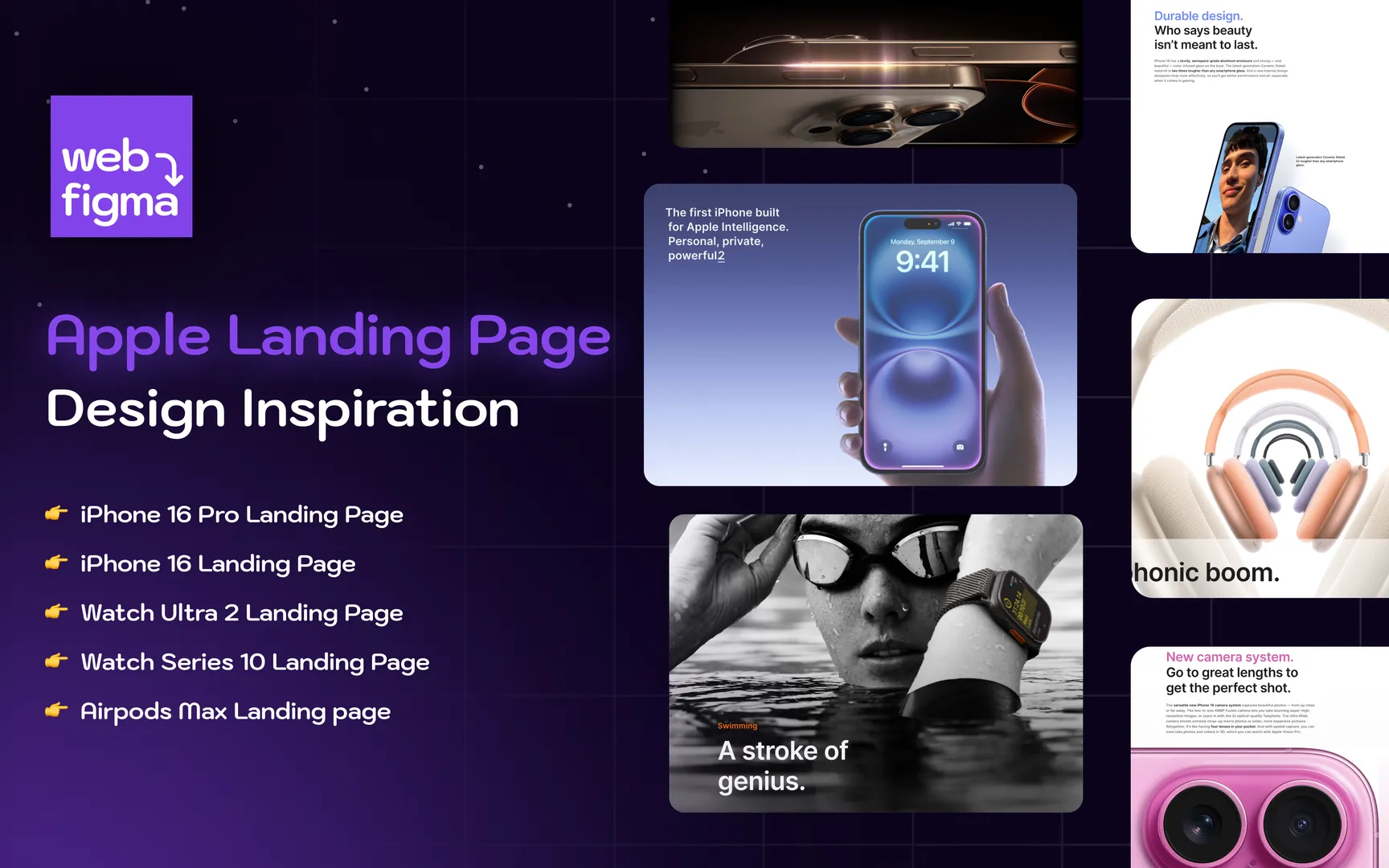
February 13, 2026
Best Product Landing Page Examples That Actually Convert
If you search for the best product landing page examples, you will find dozens of lists showing screenshots with short descriptions. Most of them repeat the same brands and the same surface level observations. What they fail to explain is why certain landing pages convert at high rates while others fail, even when the design looks attractive. I have worked on product landing pages for service businesses, digital agencies, and ecommerce brands. Some pages looked stunning but did not convert. Others looked simple but produced consistent leads and sales. The difference was never just design. It was structure, clarity, and alignment between traffic intent and message. In this guide, I will break down what truly makes the best product landing page examples effective. You will see real brand examples, practical frameworks, diagrams, and strategic insights that you can apply immediately. This is not theory. This is based on real implementation experience and conversion focused thinking. What Makes a Product Landing Page “The Best”? Before looking at examples, we need a clear definition. A product landing page is a focused page designed to sell one specific product or offer. Unlike a homepage, it removes distractions and pushes the visitor toward one main action. The best product landing page examples share five non negotiable elements: Clear promise above the fold Strong visual hierarchy Emotional and logical persuasion Social proof and credibility Friction free call to action If even one of these is weak, conversion rates drop. Here is a simple conversion flow diagram that top landing pages follow: Traffic Source ↓ Clear Headline and Promise ↓ Problem Recognition ↓ Product Solution ↓ Proof and Trust ↓ Offer and Call to Action If your page jumps directly to “Buy Now” without walking the user through this flow, you lose conversions. Example 1: Apple Product Pages When discussing the best product landing page examples, it is impossible to ignore Apple. Apple’s product pages are masterclasses in clarity and focus. Why They Work Apple uses a simple structure: Large bold headline Single clear value proposition High quality product visuals Minimal but powerful copy They do not overload users with technical data at the beginning. Instead, they sell the outcome first. For example, instead of listing processor speed immediately, they highlight speed, power, creativity, or freedom. Only after emotional engagement do they introduce specifications. What You Can Learn You do not need a complicated layout to convert. You need clarity. Most businesses try to say everything at once. Apple proves that controlled information flow increases persuasion. In my own projects, whenever I simplified the hero section to one strong promise instead of three benefits, conversion rates improved significantly. Example 2: Shopify Product Focus Pages Shopify product pages show another approach. Instead of selling a physical product, they sell a platform. Why They Work Their landing pages focus heavily on: Clear problem identification Benefit driven subheadings Strong trust signals Action oriented CTAs Shopify pages often follow this structure: Headline Subheadline Primary CTA Customer testimonials Feature breakdown FAQs Secondary CTA Notice how frequently the call to action appears. It is not hidden at the bottom. It is repeated at strategic points. Strategic Insight Most small businesses make the mistake of placing only one CTA at the bottom. If users scroll, get convinced, and then have to scroll back up to act, friction increases. One of my agency pages initially had a single form at the end. After adding mid page CTAs and trust badges, leads increased without changing traffic volume. Example 3: Tesla Vehicle Pages Tesla uses immersion and simplicity. Why They Work Tesla’s landing pages rely on: Full screen visuals Minimal text Clear configuration steps Emphasis on lifestyle The design is distraction free. No unnecessary menus. No side offers. The focus is entirely on the vehicle. Tesla also uses interactive elements to increase engagement. When users interact, psychological ownership increases, making purchase more likely. What You Should Not Copy Blindly Many brands try to copy Tesla’s minimal text approach without having Tesla’s brand authority. If your brand is unknown, you need more trust elements. Minimalism works only when trust already exists. Example 4: Slack Product Page Slack excels at clarity. Why They Work Slack focuses on simplicity and productivity. Their landing page communicates: What it is Who it is for How it improves workflow Instead of technical descriptions, they use relatable language. They show real use cases, not abstract benefits. Experience Based Observation When writing product landing pages for software tools, I noticed that feature lists alone do not convert. What converts is contextualization. For example: Weak copy “Advanced dashboard with multi level analytics” Stronger copy “See exactly which campaigns are making you money in one clean dashboard” The best product landing page examples always translate features into outcomes. Structural Blueprint of High Converting Landing Pages Below is a practical table you can use while building your own page. Section Purpose Common Mistake Hero Section Capture attention and state promise Too many messages Problem Section Make visitor feel understood Being too generic Solution Section Introduce product clearly Over technical explanation Proof Section Build credibility No testimonials Offer Section Present pricing or value Hidden costs FAQ Section Remove objections Ignoring real doubts If your page misses any of these, you are losing conversions. The Psychology Behind the Best Product Landing Page Examples The highest performing landing pages use psychology intelligently. 1. Clarity Reduces Anxiety Confusion kills sales. If a visitor does not understand what you are offering within seconds, they leave. 2. Specificity Builds Trust Instead of saying “High Quality Material,” say “Made from 100 percent organic cotton.” Specific claims feel real. 3. Social Proof Reduces Risk Testimonials, reviews, numbers, and case studies reduce perceived risk. 4. Visual Hierarchy Directs Attention Large headlines Medium subheadings Short paragraphs Whitespace If everything looks equal, nothing stands out. My Real Experience: What Actually Improved Conversion I once redesigned a product landing page for a service based digital business. The old version had: Long paragraphs No visual breaks Weak headline Only one CTA Traffic was decent but conversions were low. We changed: Headline to focus on one strong outcome Added three customer testimonials Inserted CTA buttons after every major section Rewrote features into benefits Result was a significant improvement in lead submissions within weeks. What changed was not design complexity. It was clarity and structure. Content Depth vs Simplicity A common misconception is that shorter pages convert better. That is not always true. The best product landing page examples match content depth with product complexity. Low price impulse product Short persuasive page works High ticket product Long detailed page works better Users buying expensive products want reassurance. Instead of cutting content, structure it better. Visual Framework for an Ideal Product Landing Page Here is a simplified content structure model: Headline Subheadline Primary CTA Image or Video Problem Statement Solution Explanation Feature to Benefit Breakdown Social Proof Offer and Guarantee FAQ Final CTA If your layout follows this logical flow, user experience improves naturally. Common Mistakes That Ruin Landing Pages Brutally honest truth. Most landing pages fail because of these: Too many navigation links No clear value proposition Weak or generic headlines Stock images with no authenticity No testimonials Slow page speed Hidden pricing Design alone will not fix strategic problems. How to Create Your Own Best Product Landing Page Instead of copying big brands, do this: Step one Understand your target audience deeply. What exact problem are they trying to solve? Step two Write a clear promise in one sentence. Step three Support that promise with proof. Step four Remove unnecessary distractions. Step five Test and improve continuously. Landing pages are not one time creations. They evolve. Frequently Asked Questions What is the difference between a product page and a landing page? A product page is usually part of an ecommerce store and includes navigation, related products, and multiple options. A landing page is focused on one goal and removes distractions to maximize conversions. How long should a product landing page be? Length depends on product complexity and price. High ticket or complex products need more explanation and trust elements. Low cost products can convert with shorter pages if the value is clear. Do I need testimonials on every landing page? Yes, unless you are a globally recognized brand. Testimonials reduce doubt and increase trust. Even two strong reviews are better than none. Should I use video on my landing page? If your product requires demonstration, video can significantly improve understanding. However, it must load fast and support the message, not distract from it. How many CTAs should a landing page have? You should have one primary action but repeat the CTA throughout the page. Do not force users to scroll back up to convert. Can a simple design outperform a complex one? Yes. Clarity beats decoration. A clean focused page with strong messaging will outperform a visually impressive but confusing page. Final Thoughts The best product landing page examples are not defined by flashy design. They are defined by clarity, structure, trust, and persuasive storytelling. Do not chase trends. Build pages that: Speak directly to your audience Highlight one strong promise Provide proof Remove friction Guide users toward action For More Visits: Peak Media Consulting Also Read: Best Big Companies to Work for in Houston TX
Read More
February 2, 2026
Best Real Estate Agent Websites – Proven Power Guide 9
The real estate industry is brutally competitive online. Thousands of agents offer the same listings, the same promises, and often the same generic websites. Yet only a small percentage of real estate agent websites actually generate consistent leads, booked calls, and closed deals. The difference is not luck. It is structure, clarity, credibility, and experience driven design. This article breaks down what truly makes the best real estate agent websites perform. Not surface level design trends. Not copied advice. This is based on real world execution, direct work with service businesses, and practical observation of what converts visitors into clients. If you are an agent, broker, or agency owner, this is written to help you build or fix a website that actually works, not just one that looks nice. Why Most Real Estate Agent Websites Fail Before talking about the best real estate agent websites, it is important to be brutally honest about why most of them do not work. Most real estate websites fail because they are built for the agent, not the buyer or seller. Common problems include Too much focus on the agent’s achievements instead of user needs No clear reason why someone should choose you over 100 other agents Generic templates that look like every other real estate site Slow loading pages with heavy sliders and stock images Weak calls to action like “Contact Us” instead of intent driven actions A website does not exist to impress. It exists to guide a visitor from confusion to confidence. What Defines the Best Real Estate Agent Websites The best real estate agent websites share a few non negotiable traits. They are not about luxury design alone. They are about trust, clarity, and momentum. A high performing real estate website does four things extremely well. It instantly communicates who you help It proves why you are credible It removes friction from taking action It guides users toward one primary conversion If any one of these is missing, performance drops fast. Core Elements of High Converting Real Estate Agent Websites Clear Positioning Above the Fold The top section of the website decides everything. Within five seconds, a visitor should understand exactly what you do and who you help. Bad example Helping you buy and sell homes with excellence Strong example Helping first time home buyers in Austin find and secure the right home without overpaying Specific always beats generic. The best real estate agent websites speak directly to a niche audience instead of trying to attract everyone. Trust Signals That Actually Matter Trust is currency in real estate. People are making six or seven figure decisions. They need reassurance. High impact trust signals include Real client testimonials with names and locations Short personal video introducing yourself Photos of you working with clients instead of stock imagery Clear licensing and local expertise statements One mistake many agents make is hiding testimonials on a separate page. On the best real estate agent websites, social proof appears throughout the site naturally. Simple and Focused Navigation More pages do not equal more trust. In fact, too many options cause paralysis. A strong real estate website navigation usually includes Home Buy or Sell Listings or Property Search About Contact That is enough. The goal is not exploration. The goal is conversion. Design That Supports Function Not Ego Luxury design is useless if it slows down the site or confuses users. The best real estate agent websites are clean, fast, and readable. Key design principles that work High contrast text for readability Large clear headings Consistent spacing Mobile first layout Fast loading images If your website looks amazing but loads in five seconds, you are losing leads silently. Content That Builds Authority Without Sounding Fake Content is where most agents lose credibility. Either it is too salesy or too robotic. Authority content should feel like advice from a knowledgeable local expert, not a brochure. Examples of high value content sections Local market insights written in plain language Buyer or seller process explained step by step Common mistakes explained honestly Real examples from your own deals When I worked on service business websites, I noticed something important. Pages that shared real experiences and lessons always outperformed generic SEO pages. People can feel authenticity even if they cannot explain it. Property Listings Without Overwhelming Users Listings are important, but they should not dominate the website. The best real estate agent websites use listings as support, not the main pitch. Listings should be Easy to filter Fast to load Clean and distraction free Supported by guidance A simple note like “Not sure which listing fits your budget and goals? Let’s talk” can significantly increase inquiry rates. Calls to Action That Match User Intent Most real estate websites use weak calls to action. “Contact Us” is vague and uninspiring. Strong call to action examples Get a free home value estimate Schedule a buyer strategy call See homes you can afford Talk to a local expert today The best real estate agent websites align calls to action with what the user is already thinking. Local SEO and Location Based Content Real estate is local by nature. Your website must reflect that deeply. Effective location based content includes Neighborhood specific pages written uniquely Local buying or selling guides Mentions of schools, commute, lifestyle factors Original photos of the area Avoid copying city descriptions from other websites. That destroys trust and rankings. Example Structure of a High Performing Real Estate Website Below is a simple structural flow that works extremely well. Home page Clear value proposition Social proof Primary call to action Buyers page Step by step buying process Common buyer mistakes Buyer focused CTA Sellers page Home selling strategy Pricing philosophy Seller focused CTA About page Personal story Experience and values Local credibility Contact page Minimal form Clear expectations Fast response promise This structure removes confusion and guides action. Table: Weak Website vs High Performing Website Element Weak Website Best Real Estate Agent Website Headline Generic slogans Specific local value Design Heavy sliders Clean and fast Content Sales focused Advice focused CTA Contact us Intent based actions Trust Claims only Proof and examples Real World Experience Insight From my own experience working with service based businesses, including real estate adjacent projects, the biggest improvement always came from clarity, not creativity. One agent had a beautiful website but almost no leads. After simplifying the message, removing unnecessary pages, and adding real client stories, inquiries increased without changing traffic. This taught me a critical lesson. People do not want perfection. They want confidence and understanding. Common Myths About Real Estate Agent Websites Myth One More Features Means Better Results Reality Simplicity converts better than complexity. Myth Fancy Design Equals Trust Reality Clear communication builds trust faster than visuals. Myth SEO Alone Will Save a Bad Website Reality Traffic without conversion is wasted money. Diagram: User Journey on the Best Real Estate Agent Websites Visitor lands on site ↓ Clear message answers “Is this for me” ↓ Trust signals reduce doubt ↓ Helpful content builds confidence ↓ Clear call to action ↓ Lead submitted If your site breaks this flow, leads drop. How to Evaluate Your Own Website Honestly Ask yourself these questions without bias. Can someone understand my value in five seconds Is it obvious who my ideal client is Do I show proof or just claims Is it easy to take the next step Would I trust this site if I were a buyer If you hesitate on any answer, your site needs improvement. Future Proofing Your Real Estate Website The best real estate agent websites are built for long term relevance. Focus on Original content instead of trends Human tone instead of marketing language Speed and usability Local authority Search engines evolve, but clarity and trust always win. Frequently Asked Questions What makes the best real estate agent websites different from templates The difference is not the platform. It is messaging, structure, and intent. Templates fail when agents do not customize them for their audience and market. How important is mobile optimization for real estate websites Extremely important. Most property browsing happens on mobile. If your site is hard to use on a phone, you are losing serious buyers. Should real estate agents focus more on listings or personal branding Personal branding matters more. Listings change. Trust in you stays. How often should a real estate website be updated Content should be reviewed every few months. Market insights and testimonials should stay fresh. Can a simple website outperform a large real estate portal Yes. Large portals attract traffic, but a focused personal website converts better because it builds direct trust. Is blogging still useful for real estate agents Yes, if done correctly. Local insights and real experience based content still perform extremely well. Final Thoughts The best real estate agent websites are not about showing everything. They are about showing the right things. For More Visits: Peak Media Consulting Also Read: Best Big Companies to Work for in Houston TX
Read More
January 31, 2026
15 Best AI Tools For eCommerce Businesses
The eCommerce market in 2025 is unforgiving. Traffic is expensive, customer attention is short, and competition is global. Running an online store today without AI is not “traditional” — it is inefficient. AI tools are no longer experimental or enterprise-only. They are practical, affordable, and directly tied to revenue growth. From my hands-on experience working with multiple eCommerce brands at different stages — from early Shopify stores to scaling businesses — I’ve seen one consistent pattern: stores that integrate the right AI tools make faster decisions, waste less budget, and grow more predictably. This guide breaks down the best AI tools for eCommerce businesses, focusing on real use cases, not marketing hype. Every tool listed here solves an actual problem eCommerce owners face daily. 1. ChatGPT ChatGPT is the most versatile AI tool available for eCommerce. Its value does not come from automation alone, but from how quickly it accelerates thinking and execution. In real projects, ChatGPT is commonly used for product descriptions, category page content, email sequences, customer support replies, SEO blog drafts, ad copy ideation, and internal SOPs. When guided properly, it saves dozens of hours every month. The mistake many store owners make is expecting perfect output with zero direction. ChatGPT works best when you already understand your product, audience, and brand voice. Used blindly, it produces generic text. Used strategically, it becomes a productivity weapon. 2. Shopify Magic Shopify Magic is Shopify’s built-in AI feature designed for merchants who want speed over complexity. It generates product descriptions, short-form content, FAQs, and basic marketing copy directly inside the Shopify dashboard. This tool is ideal for small to mid-sized stores that don’t want to learn prompting or external tools. While it lacks deep customization, it is reliable for quick execution. In practice, it works well for stores with large catalogs that need consistent baseline content. 3. Solidgrids Solidgrids focuses on AI-powered website generation for eCommerce. It analyzes your niche, products, and goals, then produces layouts and content automatically. This tool is useful during early-stage launches or MVP testing. Instead of spending weeks designing pages that may change later, Solidgrids helps validate structure quickly. It is not a replacement for advanced UX work, but it is effective for speed-focused builds. 4. Nosto Nosto is one of the strongest AI personalization tools in eCommerce. It tracks user behavior and delivers dynamic product recommendations, personalized banners, and tailored on-site experiences. From real-world usage, personalization tools like Nosto consistently increase average order value and engagement. Customers stay longer and view more products because the store feels relevant instead of generic. 5. Adobe Sensei Adobe Sensei powers AI across Adobe’s commerce, analytics, and marketing products. It focuses heavily on predictive insights, segmentation, and advanced data analysis. This is not a beginner tool. It shines in enterprise-level environments where large datasets already exist. For businesses with complex funnels, Adobe Sensei helps uncover patterns that humans usually miss. 6. Persado Persado uses AI to optimize marketing language based on emotional triggers. Instead of guessing which headline or CTA will perform better, Persado analyzes emotional response data and recommends wording that converts. In high-volume email and ad campaigns, even small improvements in language can create large revenue lifts. Persado is especially effective for brands already spending heavily on paid traffic. 7. Kili Kili is designed for companies building custom AI models. It helps label and manage training data, which is critical for machine learning accuracy. Most small stores will not need Kili. However, brands investing in computer vision, fraud detection, or proprietary recommendation engines will find it essential. It solves a very specific but serious problem. 8. Salesforce Einstein Salesforce Einstein integrates AI into CRM workflows. It predicts customer lifetime value, purchase probability, and churn risk. For eCommerce businesses with sales teams, subscriptions, or complex customer journeys, Einstein replaces guesswork with data-backed predictions. This leads to better retention strategies and smarter upselling. 9. Syte Syte enables visual search and discovery. Customers can upload an image and instantly find similar products in your store. This tool is particularly powerful in fashion, furniture, and lifestyle niches. Visual search reduces friction, shortens buying decisions, and improves conversion rates by matching intent more accurately than keywords alone. 10. Patterned Patterned uses AI to generate unique patterns and visual designs. It is ideal for print-on-demand and custom product businesses that need originality at scale. Instead of repeating generic designs, Patterned helps brands stand out visually without hiring designers for every new SKU. This directly supports brand differentiation. 11. Plerdy Plerdy focuses on UX analytics and conversion optimization. It tracks user behavior through heatmaps, click analysis, and funnel data. From experience, tools like Plerdy expose silent conversion killers — poorly placed buttons, confusing layouts, or ignored CTAs. Fixing these issues often produces faster ROI than traffic generation. 12. Lumalabs Lumalabs brings AI-powered 3D and immersive visuals into eCommerce. Customers can view products interactively instead of relying on static images. This significantly reduces uncertainty for high-ticket items and lowers return rates. For brands selling premium products, this tool improves trust and perceived value. 13. Bluecore Bluecore specializes in AI-driven lifecycle marketing. It personalizes emails, push notifications, and on-site messages based on real-time customer behavior. Unlike basic automation tools, Bluecore adapts continuously. This means customers receive relevant messages instead of repetitive promotions, improving long-term retention. 14. Inbenta Inbenta provides AI-powered customer support chatbots that understand intent, not just keywords. This reduces support tickets, improves response times, and prevents customer frustration. Unlike basic bots, Inbenta handles complex queries more accurately, making it suitable for scaling stores. 15. Nifty Nifty is an AI-enhanced project management tool. While not eCommerce-specific, it is valuable for managing campaigns, product launches, and cross-team workflows. As stores grow, operational chaos becomes a hidden growth blocker. Tools like Nifty keep teams aligned and execution clean. What To Look For In AI Tools For eCommerce Businesses Choosing AI tools without a strategy is a mistake. The best tools solve specific problems, not vague ambitions. Strong AI tools for eCommerce usually improve one of three things: conversion rate, customer retention, or operational efficiency. If a tool does not clearly impact at least one of these areas, it is likely unnecessary. Integration matters more than features. A simpler tool that fits your existing stack is often better than a powerful one that creates friction. Why AI Tools Are Essential For eCommerce In 2025 Customer expectations have changed. Shoppers expect personalization, speed, and relevance by default. AI enables this at scale. At the same time, ad costs are rising and margins are shrinking. AI tools help businesses do more with less — fewer people, fewer hours, and fewer mistakes. Brands that ignore AI will not fail overnight. They will fail slowly, losing efficiency and competitiveness until growth stalls. Ethical Considerations And Potential Challenges AI must be used responsibly. Data privacy, transparency, and human oversight matter. Over-automation without review can damage brand voice and customer trust. The goal is not to remove humans from the process, but to let humans focus on strategy instead of repetition. Smart brands use AI as an assistant, not a replacement. Find The Right AI Tools For Your eCommerce Business With Peak Media Consulting At Peak Media Consulting, the focus is not on selling tools — it is on building systems that grow revenue. Every eCommerce business is different. A dropshipping store, a branded DTC business, and a B2B eCommerce platform require different AI stacks. Choosing tools without understanding your funnel, audience, and growth stage leads to wasted time and money. Peak Media Consulting helps businesses: Identify real growth bottlenecks Select AI tools that directly impact revenue Integrate AI into marketing, SEO, and operations Avoid over-automation and tech overload The goal is not “using AI.” The goal is using AI correctly. Related Resources 10 Best Magento Themes For eCommerce Websites (Free & Paid) 10 Best eCommerce Personalization Tools Compared 10 Best eCommerce WordPress Plugins For 2025 10 Types Of eCommerce Websites & Business Models 15 B2C eCommerce Best Practices To Increase Sales 15 Best B2B eCommerce Platforms Let’s Grow Your Brand AI tools do not create success on their own. Execution does. Brands that combine strong fundamentals with the right AI tools grow faster, smarter, and more profitably. Those that chase trends without strategy burn money. If your goal is sustainable eCommerce growth, AI is no longer optional — but strategy always comes first. FAQ: Best AI Tools For eCommerce Are AI tools suitable for small eCommerce businesses? Yes. Small stores benefit the most when AI replaces manual work and speeds up execution. Can AI fully run an eCommerce store? No. AI supports decisions and operations, but strategy and judgment remain human responsibilities. Which AI tools give the fastest ROI? Personalization, CRO, and email automation tools usually deliver the quickest results. Is AI-generated content safe for SEO? Yes, when reviewed, edited, and improved by humans. Blind publishing is risky. How many AI tools should an eCommerce store use? Only what is necessary. Complexity slows growth more than lack of tools.
Read More
January 29, 2026
Top 15 Web Development Trends To Expect In 2026
The web development landscape in 2025 is no longer about just building fast websites. It’s about building intelligent, secure, scalable, and conversion-focused digital experiences. Businesses that still treat websites as static brochures are already losing market share to competitors using smarter technology stacks and user-centric design. From my hands-on experience working with business websites, marketing funnels, and performance-driven landing pages, one thing is clear: web development trends directly impact SEO, conversions, scalability, and long-term growth. Ignoring them isn’t neutral—it’s risky. This guide breaks down the most important web development trends in 2026, why they matter, how they’re actually used in real projects, and what businesses should prioritize. 15 Cutting-Edge Web Development Trends In 2026 1. AI Functionalities Artificial Intelligence is no longer an “add-on feature.” In 2025, AI is baked directly into web applications. AI-powered chatbots, content personalization, predictive search, recommendation engines, and automated customer support are now standard expectations, not premium extras. I’ve personally seen websites improve lead conversion rates simply by implementing AI-driven on-site assistance that responds based on user behavior, not static scripts. AI also improves backend processes like fraud detection, analytics interpretation, and UX optimization through heatmap prediction. 2. Progressive Web Apps (PWAs) Progressive Web Apps continue to dominate because they solve a real problem: mobile performance without app-store dependency. PWAs load instantly, work offline, send push notifications, and behave like native apps. For eCommerce and service businesses, this directly impacts repeat visits and engagement. From experience, PWAs significantly reduce bounce rates on mobile traffic, especially in regions with slower internet speeds. 3. Blockchain Technology Blockchain in web development isn’t about hype anymore. It’s about trust, transparency, and decentralization. Use cases include secure payment systems, decentralized authentication, NFT marketplaces, smart contracts, and data integrity verification. Websites handling sensitive transactions benefit massively from blockchain-based verification layers. This trend is especially strong in fintech, digital identity platforms, and global payment solutions. 4. Serverless And Headless Architecture Traditional monolithic websites are becoming obsolete. Serverless computing removes the need to manage infrastructure, while headless CMS decouples content from presentation. This allows developers to deliver content across websites, apps, kiosks, and IoT devices using the same backend. I’ve used headless setups to scale content-heavy websites without performance degradation, even during traffic spikes. 5. Accelerated Mobile Pages (AMP) AMP isn’t dead—it’s selectively useful. While not ideal for every site, AMP still plays a role for news platforms, content publishers, and SEO-focused blogs where speed and visibility matter more than heavy interactivity. The key mistake businesses make is blindly implementing AMP without understanding its limitations. 6. Motion UI Frameworks Motion UI enhances user experience through subtle animations, transitions, and feedback loops. In 2025, motion design isn’t decorative—it’s functional. It guides attention, confirms actions, and improves usability. Well-implemented motion reduces confusion and increases engagement, especially on SaaS dashboards and onboarding flows. Overuse, however, kills performance. Balance matters. 7. Dark Mode Design Dark mode is no longer optional—it’s expected. Users prefer interfaces that reduce eye strain and improve readability in low-light environments. Many of the websites I’ve worked on saw longer session durations after implementing dark mode toggles. Dark mode also impacts brand perception, especially in tech, gaming, and finance sectors. 8. Voice Search Optimization Voice search changes how users interact with websites. Web developers must structure content for conversational queries, natural language processing, and voice-friendly navigation. This trend heavily intersects with SEO, accessibility, and AI. Ignoring voice optimization means missing out on a growing segment of mobile and smart-device users. 9. API-First and Low-Code Development API-first development ensures flexibility and future scalability. Low-code platforms speed up development without replacing developers. In real projects, I’ve seen low-code tools accelerate MVP launches while API-first architecture ensures long-term stability. The key is knowing when to use low-code and when not to. Over-reliance leads to vendor lock-in. 10. Cybersecurity And Data Protection Security is no longer just HTTPS and firewalls. In 2025, websites must address data privacy laws, user consent, secure authentication, and zero-trust architectures. A single breach destroys brand credibility instantly. From experience, proactive security planning is far cheaper than post-incident damage control. 11. WebAssembly (Wasm) WebAssembly enables near-native performance in browsers. This is a game-changer for applications like video editing, gaming, financial modeling, and 3D visualization. Wasm allows heavy computations without killing browser performance. Expect more performance-intensive web apps in 2025. 12. GraphQL GraphQL replaces inefficient REST calls with precise data queries. This reduces over-fetching, speeds up frontend performance, and simplifies complex data relationships. In content-rich platforms, GraphQL dramatically improves loading efficiency. Once teams adopt it correctly, they rarely go back. 13. WebRTC WebRTC enables real-time communication directly in browsers. Video conferencing, live support, telemedicine, and collaborative tools rely on this technology. The demand for real-time interaction is only growing. WebRTC eliminates dependency on third-party plugins and improves data privacy. 14. Edge Computing Edge computing processes data closer to users. This reduces latency, improves speed, and enhances real-time interactions. For global websites, edge deployment significantly improves user experience across regions. It’s a silent performance booster many businesses overlook. 15. Hyperautomation Tools Hyperautomation combines AI, RPA, and analytics to automate complex workflows. Websites now automate lead qualification, CRM syncing, analytics reporting, and customer segmentation. This reduces manual effort and improves operational efficiency. Automation done right increases profit margins. Overview Of Popular Web Development Technologies Backend Frameworks Popular backend frameworks in 2025 focus on scalability, performance, and security. Node.js, Django, Laravel, and Spring Boot dominate due to flexibility and ecosystem maturity. The wrong backend choice causes performance bottlenecks that no frontend optimization can fix. Front-End Frameworks Frontend development revolves around component-based architectures. React, Vue, and Next-generation frameworks focus on speed, modularity, and SEO-friendliness. The trend is clear: performance-first UI development. Future Outlook For Website Development Trends Web development is moving toward automation, intelligence, and personalization. Static pages are fading. Websites are becoming living systems that adapt to user behavior, location, and intent. Businesses that invest early gain compounding advantages. If your website doesn’t evolve, your competitors will. Key Metrics To Measure Web Development Success Measuring success isn’t about vanity metrics. Key indicators include page load time, conversion rate, session duration, interaction depth, error rates, and scalability under load. I’ve seen websites with beautiful designs fail because nobody measured real performance. Data-driven iteration wins. Stay On Top Of Web Development Trends With Digital Silk Staying current isn’t about chasing every trend—it’s about choosing the right ones strategically. Businesses that align web development with branding, marketing, and technology goals outperform those treating it as a one-time project. Related Resources 10 Best Image Formats For Your Website (2026 Guide) 10 Best Magento Hosting Providers Compared 10 Types Of eCommerce Websites & Business Models 15 Best AI Tools For eCommerce Businesses 15 B2C eCommerce Best Practices To Increase Sales 15 Best B2B eCommerce Platforms Let’s Grow Your Brand Your website is not an expense—it’s an asset. In 2025, the difference between growth and stagnation comes down to how intelligently your website is built and evolved. Frequently Asked Questions (FAQ) What are the most important web development trends in 2025? AI integration, PWAs, cybersecurity, headless architecture, and performance optimization lead the list. Are web development trends important for SEO? Yes. Speed, UX, structured data, and AI-driven personalization directly impact rankings. Should small businesses follow these trends? Not all. Focus on performance, security, and scalability first. Is AI replacing web developers? No. AI accelerates development but still requires skilled decision-making. How often should a website be updated? Continuously. Treat websites as evolving products, not static builds. For More Visits: Peak Media Consulting Also Read: Best Big Companies to Work for in Houston TX
Read More

